Metamorphosis
2025–26 / Creative coding / Real-time audiovisual interaction
Metamorphosis
Real-time audio visualisation with TouchDesigner
A butterfly-shaped skeletal model becomes a continuously generated, disturbed, and returning particle field. Analysed, amplified, and smoothed audio drives turbulence and model scale. A liquid background, feedback, and bloom establish an organic audiovisual relationship in which form changes with sound intensity.
- My contribution
- Geometry processing, node programming, audio mappings, and visual compositing
- Project stage
- Geometry, particle generation, audio response, and live output
01
Sound and transformation
Let sound shape growth, disturbance, and return.
A SOP-to-POP workflow turns the butterfly-shaped skeletal geometry into a particle field. Noise, feedback, and audio intensity move the particles between a recognisable figure and dispersed fragments.
- SOP → POP
Geometry into particles
Import and sample the butterfly model, emit particles, and build a feedback loop.
- CHOP
Sound becomes control
RMS analysis, gain, and filtering turn live sound into a control signal.
- TOP / COMP
Compose audiovisual depth
Displacement, feedback, bloom, and compositing combine the model and liquid backdrop.
02
TouchDesigner operator network
The operator network separates model import, particle generation, audio control, base-model rendering, particle overlays, background geometry, and image distortion. Shared control signals connect the audio and visual branches.
Audio Device In supplies live sound. Analyze extracts RMS energy, Math applies a gain of 5, and Filter smooths it with a width of 0.22. The processed level controls Noise POP amplitude and the model scale through 1 + abs(audio). A separate Noise CHOP drives Displace TOP for continuous liquid distortion.
03
Experience the audio interaction
Choose an audio input to explore model scale, particle disturbance, and background response. Try a rhythm, enable the microphone, or upload local audio. Higher intensity produces stronger dispersion and glow.
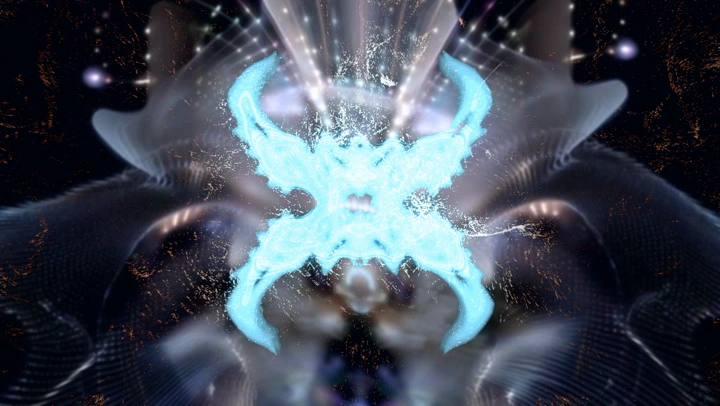
Drag to orbit · Microphone and audio are processed on your device
Loads when in viewExtract audio energy
RMSAmplify the control range
gain = 5Smooth the response
width = 0.22Disturb particle positions
amp = audioLet the model breathe with sound
scale = 1 + abs(audio)This browser experience uses the original butterfly model and liquid background to recreate the sound mappings, particle disturbance, and glow. The film below shows the actual output of the TouchDesigner project.
04
From model to audiovisual system
The development moves from model import through particle generation and feedback to model–particle synthesis, liquid-background integration, and final compositing. A stable outline supports audio-driven variation while the background adds depth.
05
Live response and moving image
The live image shifts between stability, slight disturbance, and broad dispersion. Feedback retains motion traces, Bloom strengthens local glow, and Composite joins the particles, model, and background.
Connecting sound, geometry, and image in real time
SOP, POP, CHOP, TOP, and COMP collaborate to turn audio signals into continuous visual behaviour. The project demonstrates geometry processing, node-based creative coding, live audio analysis, and audiovisual compositing.
TouchDesigner / SOP / POP / CHOP / TOP / COMPExplore more
Back to all work
The Big Bang Stigma
Read case studyTranslating research on illness stigma into an interactive journey through identity, recruitment, and livestream performance.
Blind Dating Market Festival
Read case studySix connected scenes explore how self-presentation, conditional matching, and social judgement shape intimate relationships.